On Page SEO Checklist | A Complete Step-by-Step Guide
If you’ve ever published a blog post, checked back a few weeks later, and found it buried on page five of Google, chances are something in your on-page setup was missing. That’s exactly why having a reliable on page SEO checklist matters it takes the guesswork out of optimization and gives you a clear, repeatable process to follow every time you publish.
In this guide, I’ll walk you through a complete on page SEO checklist you can use for every piece of content, whether you’re writing a blog post, a product page, or a landing page.
Quick answer: An on page SEO checklist is a step-by-step list of elements to optimize on an individual webpage including title tags, meta descriptions, headings, keyword usage, internal links, images, and content quality to help search engines understand and rank the page for relevant search queries.
Why You Need an On Page SEO Checklist
Before diving into the checklist itself, it’s worth understanding why having one matters. Without a structured process, it’s easy to forget small but important details, especially when publishing content regularly or working with a team. A checklist ensures consistency, so every page has the best possible chance of ranking, regardless of who wrote it or how rushed the schedule might be.
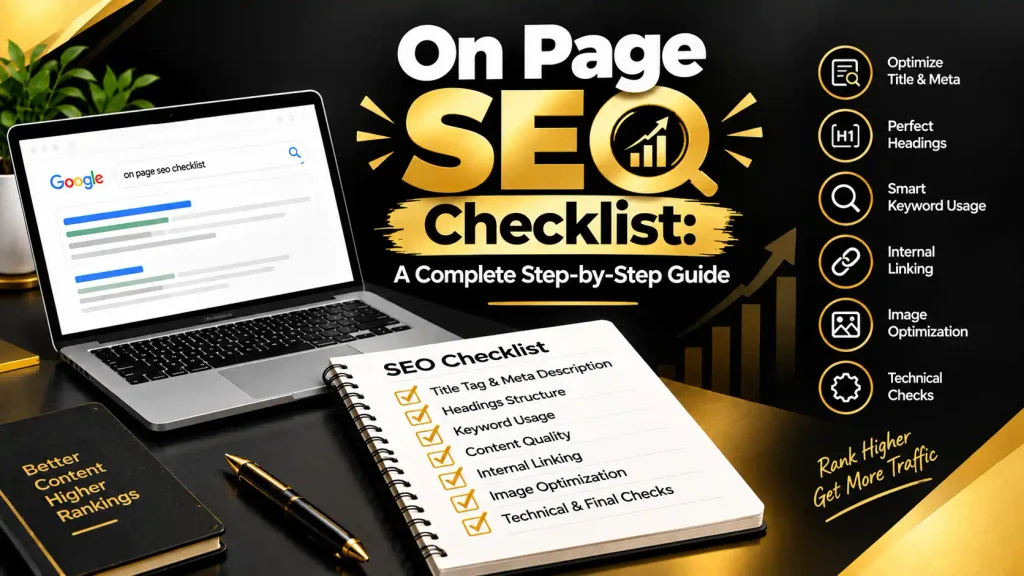
An on page SEO checklist also helps you avoid two common extremes: under-optimizing content by forgetting basic elements like meta descriptions, or over-optimizing by stuffing keywords unnaturally. A good checklist keeps your approach balanced, focused on genuinely helping both search engines and readers understand your content.
Using a checklist consistently also makes auditing older content easier. Instead of guessing what might be missing on an underperforming page, you can run through the same list and quickly identify gaps. If you want to understand the broader concept behind these elements, our guide on What is On Page SEO | A Complete Beginner’s Guide explains the fundamentals in more depth.
The Complete On Page SEO Checklist
Now let’s get into the actual checklist. I’ve organized this into logical sections so you can work through it systematically for any page you’re optimizing.
Title Tag and Meta Description Checklist
Your title tag and meta description are often the first things people see in search results, so getting these right matters for both rankings and click-through rates.
- Include your primary keyword naturally, near the beginning of the title tag.
- Keep your title tag under 60 characters so it doesn’t get cut off in results.
- Write a compelling meta description between 140 and 155 characters that summarizes the page’s value.
- Make sure the meta description encourages clicks without misleading readers about the content.
- Avoid duplicate title tags and meta descriptions across different pages on your site.
Heading Structure Checklist
Proper heading structure helps both readers and search engines understand how content is organized.
- Use exactly one H1 tag per page, including your main keyword naturally within it.
- Break content into logical sections using H2 subheadings.
- Use H3 tags for supporting points within H2 sections when needed.
- Ensure headings accurately describe the content that follows, rather than being vague or generic.
- Include your target keyword or close variations in at least a few subheadings, without forcing it.
Keyword Usage Checklist
Keywords still matter, but the focus should be on natural, contextual usage rather than repetition for its own sake.
- Include your primary keyword in the first 100 words of your content.
- Use your keyword and related terms naturally throughout the body content.
- Incorporate LSI keywords and synonyms to help search engines understand the broader context of your topic.
- Avoid keyword stuffing, which can hurt both rankings and readability.
- Include your keyword in the URL slug when it makes sense to do so.
Content Quality Checklist
Search engines increasingly reward content that genuinely satisfies searcher intent, not just content that hits technical checkboxes.
- Ensure your content thoroughly answers the search query, rather than skimming the surface.
- Break up long paragraphs into shorter, more digestible sections.
- Use bullet points and numbered lists where appropriate to improve readability.
- Update outdated statistics, examples, or references to keep content current.
- Avoid duplicate or thin content that doesn’t add unique value compared to pages already ranking.
Internal Linking Checklist
Internal links help search engines understand the relationship between pages on your site while also keeping readers engaged longer.
- Link to at least two to three relevant pages within your own website.
- Use descriptive, keyword-relevant anchor text rather than generic phrases like “click here.”
- Ensure linked pages are genuinely relevant to the context where the link appears.
- Check that important pages aren’t buried too many clicks deep in your site’s navigation structure.
Image Optimization Checklist
Images affect both user experience and page speed, both of which tie back into overall SEO performance.
- Compress image file sizes to improve page loading speed.
- Use descriptive, keyword-relevant file names instead of generic names like “IMG1234.jpg.”
- Add descriptive alt text to every image for accessibility and search engine context.
- Choose appropriately sized images to avoid unnecessary file bloat.
Technical and Final Checks
Before publishing, a few final checks help ensure everything is properly set up for search engines to find and index your content.
- Confirm your URL is short, descriptive, and free of unnecessary parameters or numbers.
- Check that your page is mobile-friendly and displays properly across different screen sizes.
- Verify the page loads quickly, since slow speed can hurt both rankings and user experience.
- Make sure the page is set to be indexable, without accidental “noindex” tags.
- Add relevant schema markup, if applicable, to help your content stand out in search results.
Running through this on page SEO checklist for every new piece of content, and periodically for older pages, ensures you’re consistently covering the fundamentals that influence rankings. If your site’s overall traffic still isn’t reflecting your content quality, it might be worth reviewing your website’s backend health as well through our guide on What is Technical SEO | A Complete Beginner’s Guide, since technical issues can undermine even the most well-optimized individual pages.
Common Mistakes When Using an On Page SEO Checklist
Even with a solid on page SEO checklist in hand, it’s easy to fall into a few common traps that reduce its effectiveness.
One frequent mistake is treating the checklist as a rigid formula rather than a guide. Not every item applies perfectly to every page, and forcing elements that don’t fit naturally, like awkwardly inserting a keyword into a heading, can hurt readability and user experience.
Another common issue is completing the checklist once during publishing and never revisiting it. Search behavior, competition, and best practices evolve over time, meaning content optimized a year ago might need adjustments today. Building in periodic reviews of older content helps maintain rankings rather than letting them slowly decline.
A third mistake is focusing entirely on technical checklist items while neglecting genuine content value. An on page SEO checklist should support great content, not replace it. A page that checks every technical box but doesn’t actually answer the reader’s question thoroughly will still struggle to rank and retain visitors long-term.
Finally, many people forget to check how their optimized pages actually perform after publishing. Reviewing analytics data, like which keywords are driving traffic and how visitors interact with the page, helps refine your checklist approach based on real results rather than assumptions.
For a visual, step-by-step walkthrough of applying this checklist to a real page, check out our YouTube channel, where we demonstrate on-page optimization using actual examples.
If you found this guide helpful and want more practical SEO checklists and strategies, follow our page on Facebook where we share regular tips and case studies.
Final Thoughts
A well-structured on page SEO checklist takes the uncertainty out of optimizing content, ensuring you consistently cover the elements that genuinely influence how well a page performs in search results. From title tags and headings to internal linking and content quality, each item plays a role in helping search engines understand and reward your content appropriately.
Rather than treating this as a one-time task, build the habit of running through your on page SEO checklist for every new page you publish, and periodically revisit older content to keep it performing well. Over time, this consistent approach tends to produce far more reliable results than optimizing on a case-by-case basis without a clear framework to follow.
1. What is an on page SEO checklist?
An on page SEO checklist is a step-by-step list of elements to optimize, including title tags, meta descriptions, headings, keywords, internal links, and images, to help search engines rank a page.
2. What are the most important items on an on page SEO checklist?
Key items include a keyword-optimized title tag, a compelling meta description, one clear H1 heading, natural keyword usage, internal links, optimized images, and genuinely helpful content.
3. How long should a title tag be on an on page SEO checklist?
A title tag should be under 60 characters so it doesn’t get cut off in search results, while including the primary keyword naturally near the beginning.
4. What is the ideal meta description length for on-page SEO?
The ideal meta description length is between 140 and 155 characters, providing a clear, compelling summary of the page that encourages users to click through.
5. Should I use H2 and H3 tags for on-page SEO?
Yes, H2 tags should break content into logical sections, while H3 tags can be used for supporting points within those sections to improve readability and structure.
6. Why is image optimization part of an on page SEO checklist?
Image optimization improves page loading speed and accessibility, using compressed file sizes, descriptive file names, and alt text that help search engines understand image content.


